
Staging URLs in Search: Find the Exposure Path Before Applying a Fix
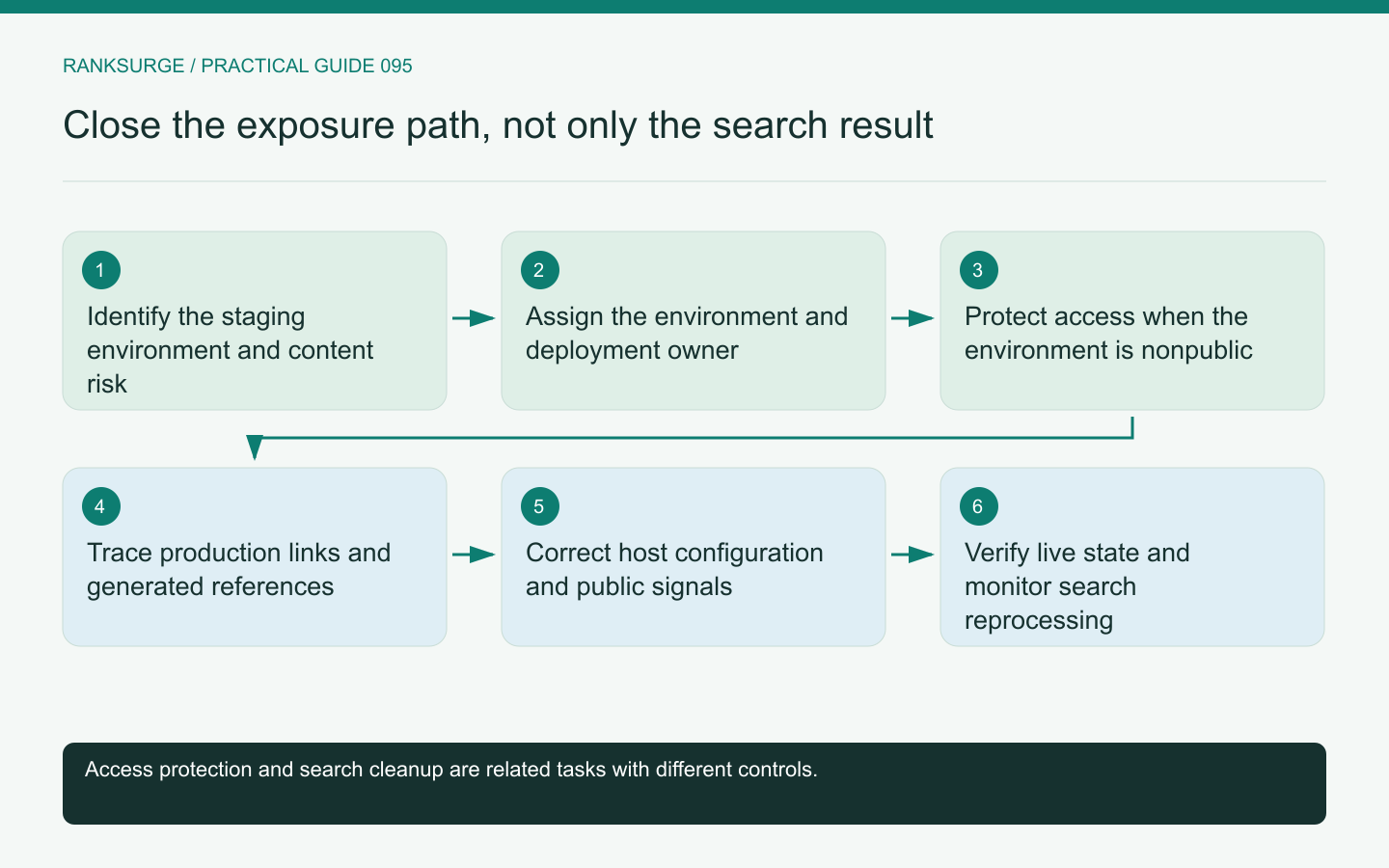
Investigate staging URLs appearing in search by tracing how they became public, protecting nonpublic environments and removing the production references that exposed them.
TL;DR
- When a staging URL appears in search, treat it as an exposure clue and investigate how the environment became discoverable instead of only removing search results, because the underlying path may remain open.
- Trace the discovery path and identify the responsible owner by inspecting production links, sitemaps, canonical declarations and shared assets so fixes target the publishing system or team that created the leak.
- After authorized changes, verify the correction at the source and check for retained copies; monitor both live environment behavior and search evidence because reprocessing and cached views can differ.
A staging URL in search is an exposure clue
Finding a staging address in search should trigger an investigation into how the environment became publicly accessible and discoverable. Removing one result without fixing that path can leave the underlying problem intact.
First determine what the environment contains. Public demonstration content, unfinished marketing pages and private customer data require different urgency and ownership.
Keep the initial evidence concise: the URL, observation time, visible search result and current response. Avoid spreading sensitive page contents through screenshots or shared audit notes when the exposure may involve nonpublic information.
Identify the environment and its owner
Confirm whether the address belongs to a preview deployment, persistent staging host, old production copy or a third-party testing service. Similar-looking hostnames can have different access and deployment controls.
Find the team responsible for the environment and the system that publishes it. A fix in the main application may not protect a separate preview service using its own configuration.
For an illustrative product launch, a long-lived staging host may have been left accessible after a temporary review. The response should address that host's lifecycle rather than assuming the next production deployment will remove it.
Separate access protection from search cleanup
If the environment is not meant for the public, establish the appropriate access restriction with its owner. A search instruction is not a substitute for protecting the underlying resource.
Google's robots guidance explains why crawl rules should not be treated as confidentiality controls. Use actual authentication or other suitable access protection when the environment requires it.
Search cleanup can then be handled as a related but separate workflow. Do not promise that changing one metadata value instantly removes every cached or observed reference.
Trace the discovery path
Inspect production links, sitemaps, canonical declarations, shared assets and any public documentation that might reference the staging host. Search data and crawl observations can help identify how the address entered the public discovery graph.
A common class of problem is an environment-specific base URL used in generated metadata or a sitemap. Another is a content editor copying a preview link into a published article.
Treat these as hypotheses to verify, not assumptions about what happened on your site. Preserve the actual offending reference and its generating source before proposing a correction.
Check whether production signals were contaminated
A production page that declares a staging canonical or links important navigation to staging can create confusion beyond the staging result itself. Inspect representative pages across the affected template or content family.
Google's canonical guidance is the reference for reviewing those signals. The practical task is to restore a coherent production URL policy and remove accidental environment leakage.
Do not automatically redirect every staging path to production without checking equivalence. Some staging routes may contain experiments or unfinished content with no appropriate public counterpart.
Design the environment policy explicitly
Decide which environments should be accessible, to whom and for how long. A temporary preview for a reviewer may need a different lifecycle from a persistent internal test environment.
Document the owner of the access policy and the point at which a preview expires or is removed. A policy that exists only in one developer's memory is easy to lose when teams or hosting settings change.
Keep SEO metadata configuration separate from the access policy where possible. Both matter, but their purposes and failure modes should be understandable independently.
Verify the correction at the source
After authorized changes, check the staging access behavior and the production references that previously exposed it. Rebuild or regenerate affected sitemaps and metadata where necessary.
Inspect a representative set of production pages rather than only the URL that first revealed the problem. A shared configuration error may have affected many routes.
Record the live correction date and monitor the relevant search evidence afterward. The live environment state and the search engine's historical view can differ during reprocessing, so report them as separate observations.
Check old environment copies
The first exposed host may not be the only retained preview. Ask the environment owner to review known active copies under the same publishing process. Keep that inventory scoped to systems the team owns, and record which copies were inspected rather than claiming universal coverage from one corrected address.
Prevent the same leak in the next release
Add a focused check for nonproduction hostnames in generated public artifacts, appropriate to the site's build and publishing process. Include examples of the exact fields that leaked rather than relying on a vague instruction to “check SEO.”
For editor-created links, make the distinction between preview and public URLs clear in the workflow. For configuration errors, verify the environment boundary in the deployment system.
RankSurge can support the discovery and audit record, while environment protection belongs to the application and infrastructure owners. A complete resolution closes the exposure path, corrects production references and preserves evidence of the final state without claiming immediate control over every search result.
Related reading: SEO for Startups: A Founder’s Handbook.
Related reading: The Best Open Source SEO Tools in 2026.