
Site Audit Crawl Coverage: Explain Which Page Families Were Actually Checked
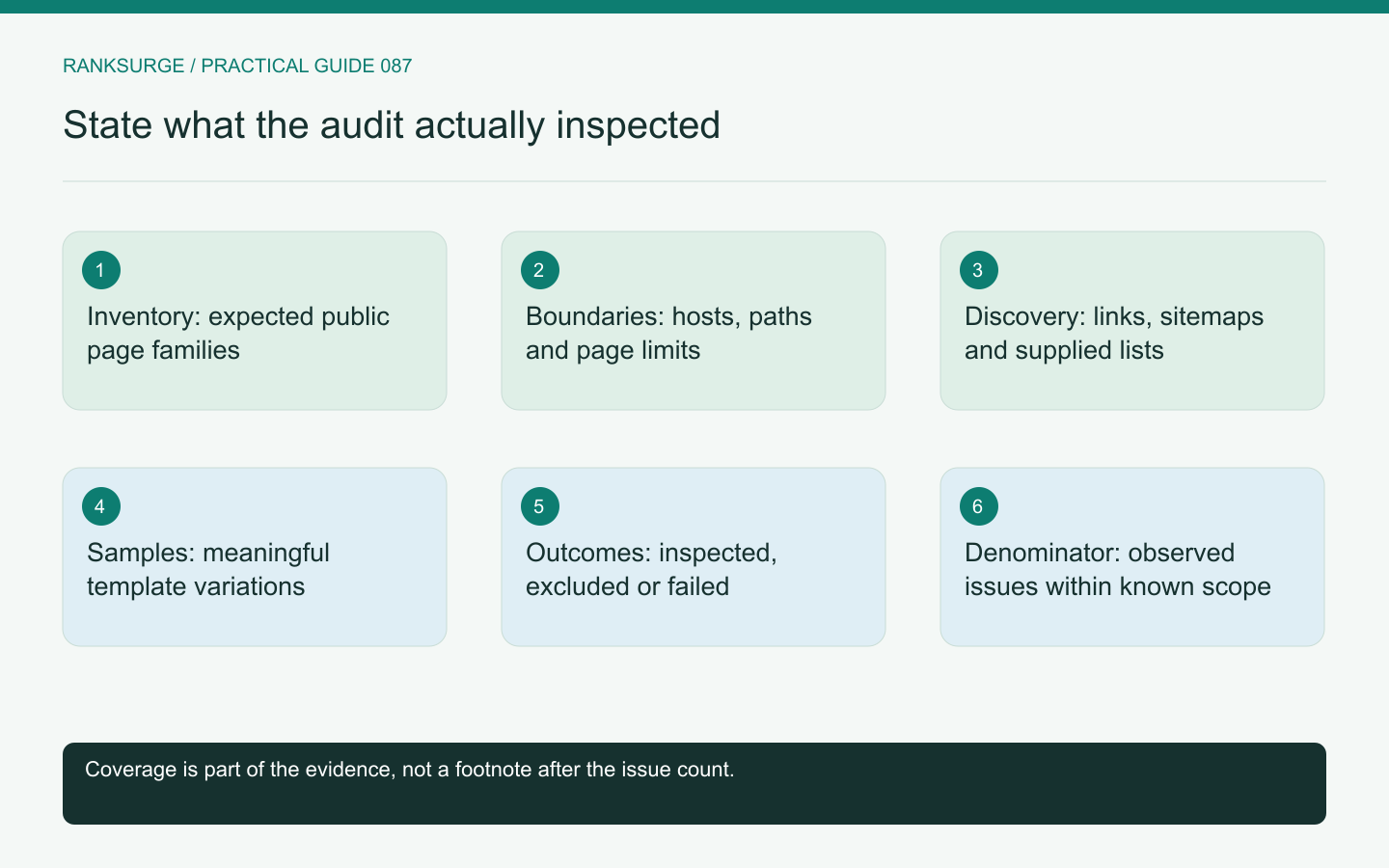
Explain site-audit coverage by page family, discovery route and crawl configuration so an issue count does not imply that the whole website was inspected.
TL;DR
- Main decision: treat a completed crawl as a partial observation unless the report explicitly states what was inspected; display the coverage statement alongside findings so readers do not assume full-site coverage.
- Useful method: define an expected page-family inventory and sample representative pages across families, using multiple inventory sources so discovery gaps or template differences are revealed rather than hidden by URL counts.
- Meaningful limit/check: record crawl boundaries and samples, and make the denominator explicit—report page limits, inspected counts or ‘observed among the inspected pages’ so issue rates reflect actual coverage.
A completed crawl is not always a complete audit
A site audit can finish successfully while inspecting only part of the website. The starting URL, allowed hosts, crawl limits, rendering mode and discovery rules all affect which pages enter the report.
Before interpreting the issue count, state what the crawl was able to inspect. A clean report for fifty marketing pages does not establish that a product catalog, documentation subdomain or localized section is equally clean.
The coverage statement should be visible beside the findings. Otherwise readers can easily mistake “no issue observed in this sample” for “no issue exists anywhere on the site.”
Build an expected page-family inventory
List the meaningful page families before running the crawl: home and navigation pages, products, categories, articles, documentation, locations and any other public routes relevant to the business.
Use more than one inventory source where available. The CMS, sitemap and known application routes can reveal pages that a link-based crawl may not discover.
For an illustrative commerce site, the inventory might contain category pages, product details and filtered collection states. Those families should be reviewed separately because their templates and discovery paths differ. One successful product page is not sufficient evidence for every filter combination.
Record the crawl boundaries
Preserve the start points, included hosts, excluded paths, page limit, response handling and rendering settings. Record whether authentication or special cookies were used, while keeping credentials out of the report.
A boundary can be intentional. Excluding an account area may be correct for a public SEO audit. The important point is to explain the exclusion rather than allowing readers to assume the area was inspected.
If a page limit stopped the run, report the limit and the number of pages reached. A stopped crawl should not be described as a full-site review simply because it produced a usable results table.
Compare discovery sources
A URL can be known through internal links, a sitemap, analytics, search data or a manually supplied list. Keep the discovery source where the tooling allows it.
Google's sitemap overview explains sitemaps as a discovery aid, not a guarantee of indexing. For an audit, the sitemap is also a useful comparison set against the pages discovered through navigation.
If many expected pages appear only in the sitemap, investigate whether the crawl configuration missed their links or whether the site genuinely provides weak internal discovery routes.
Check representative pages within each family
Choose examples that exercise meaningful variation. A product family may include available and unavailable products; an article family may include older and newer templates; a localized section may use different navigation.
Inspect the response, rendered content when relevant, metadata and discovered links for those examples. The purpose is to test the family's behavior, not merely to increase the total URL count.
Record why each sample was selected. That makes it easier for another reviewer to identify a missing variant rather than assuming the sample was random or exhaustive.
Distinguish exclusions from failures
An intentionally excluded URL, a blocked fetch, a server error and an undiscovered page are different coverage outcomes. Give them separate labels in the report.
For example, a crawler denied by a protective layer may reveal little about what ordinary users or search crawlers receive. The next step is to investigate access and configuration, not to conclude that every affected page has missing metadata.
Likewise, a JavaScript rendering limitation should be described as a limitation of the observation until a suitable rendered check confirms the page's actual output.
Make the denominator explicit
A report that says “twenty pages have an issue” should explain whether twenty pages were affected out of thirty inspected, three thousand inspected or an unknown total inventory.
When the expected inventory is incomplete, say so. Use language such as “observed among the inspected pages” instead of presenting a false coverage percentage.
This is especially important when comparing audit runs. A larger issue count after expanding the crawl may reflect better coverage rather than a worsening website.
Preserve comparable settings for the next run
Save the configuration with the audit date so a later reviewer can distinguish a website change from a measurement change. If the next run adds rendering or expands the allowed hosts, label that improvement in coverage. Compare the shared inspected set separately where useful, rather than interpreting every newly discovered issue as a regression introduced since the previous report.
Deliver coverage before prioritization
Summarize the inspected families, known exclusions, incomplete areas and confidence in the inventory. Then interpret the findings within that scope.
RankSurge's site-audit research can support this process, but the analyst still needs to describe the actual run and its limits. A credible audit makes both its findings and its blind spots understandable, giving the team a clear basis for the next investigation.
Related reading: SEO for Startups: A Founder’s Handbook.
Related reading: The Best Open Source SEO Tools in 2026.