
SEO Tool Team Permissions: Evaluate Client Access and Administrative Control
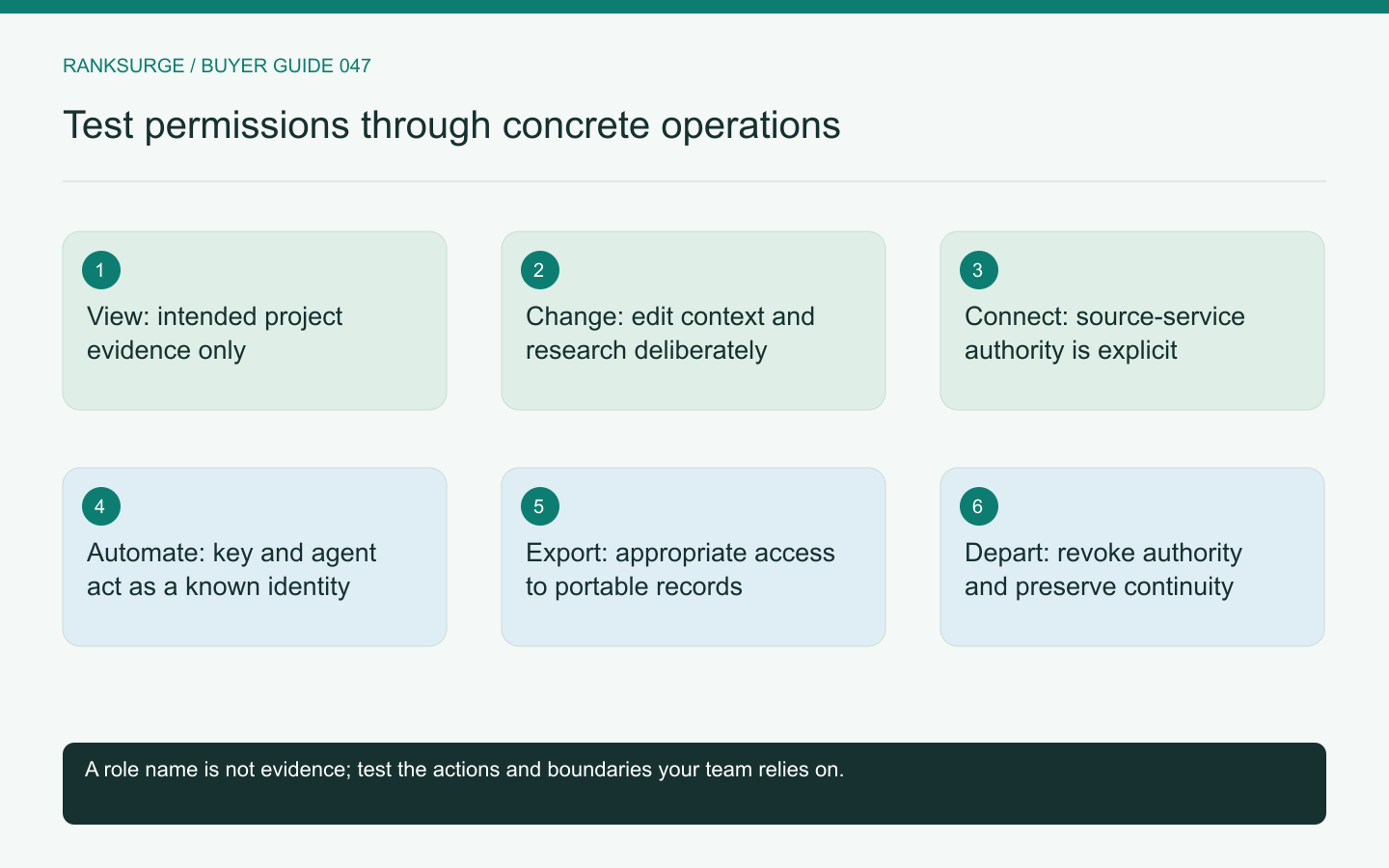
Compare SEO tool team permissions by testing concrete actions, project boundaries, personal API credentials and the departure of an account owner.
TL;DR
- Decide on purchase by actions, not labels: map who must inspect, change, connect, export and administer so permissions enforce real workflow boundaries and clear authority.
- Validate a candidate by creating a small permission matrix and two fictional projects, then give a test user intended access and inspect dashboard, search, shared links and exports.
- Use concrete success checks: remove a test team member via the supported process, confirm others can continue work, and ensure denied actions explain why and next steps.
Evaluate actions rather than role names
SEO tool team permissions should match the work people actually perform. Labels such as member, manager and administrator can mean different things across products. Buying decisions should therefore start with actions: view research, edit project context, connect a data source, export reports, create credentials and change billing.
Create a small permission matrix for your team. Include an analyst, a project lead, an external client reviewer and the organisation owner. One person may hold several responsibilities, but the test should keep them distinct so the product's boundaries are visible.
Test one project boundary in several places
Create two fictional projects with different notes and reports. Give a test user only the access your intended workflow requires, then inspect the dashboard, search, shared links and exports.
A correct main navigation view is not enough if another route reveals the wrong project context. The trial should cover the surfaces your team will actually use, including agent clients if they are part of the workflow.
Record unsupported requirements honestly. If the current platform provides organisation-wide access rather than the per-project restriction you need, decide whether that limitation is acceptable. Do not solve it by pretending a naming convention is an enforced permission boundary.
Separate source access from platform access
Connecting Search Console or analytics involves permissions in another system as well as permissions inside the SEO platform. A user may be allowed to view a report without being the person who authorized the original connection.
Google's Search Console permissions documentation distinguishes owners and users in that source service. Use those definitions when deciding who should connect the property and how access should survive staff changes.
During the trial, identify the connected account and its scope. The team should know whether the integration depends on one employee's personal access and what happens if that employee leaves or loses permission at the source.
Related reading: The Best Open Source SEO Tools in 2026.
Inspect API and agent authority explicitly
An API key or agent connection can act outside the visible dashboard. Ask which user or organisation it represents and which operations it can perform. A key should not be treated as harmless merely because it is used for research.
RankSurge's MCP documentation states that personal API keys act as the user in the workspace. That makes the owner's existing authority relevant to the agent's actions. Do not assume a separate narrow service identity unless the platform actually provides one.
Use a test credential with the intended role and inspect both allowed and denied operations. Keep secrets out of reports; record a non-secret credential identifier and the authority it represents instead.
Related reading: SEO for Startups: A Founder’s Handbook.
Compare read access with export access
Viewing a report and downloading an entire dataset can have different practical implications. Ask whether your team needs separate controls and whether the candidate supports them.
A client reviewer may need a concise report without access to all project notes. An analyst may need raw exports but not billing controls. A project lead may need to edit competitors without being able to remove the organisation. The permission matrix makes these differences concrete.
If the tool cannot represent every distinction, evaluate the resulting operating process. Some small teams can accept broader roles with clear accountability; others need stronger controls before purchase. The choice should be deliberate and documented.
Rehearse a staff departure
Remove a test team member through the supported process. Check dashboard access, saved share links and credentials associated with that person according to the platform's documented model.
Then ask another authorised person to continue the project. Shared reports and important configuration should remain understandable, while the departed member's personal authority should no longer be required for routine work.
Also examine ownership transfer. Billing, source connections and organisation ownership may follow different procedures. A vendor should be able to explain those paths before the only account owner becomes unavailable.
Make denied actions understandable
A permission boundary is easier to operate when the interface explains why an action is unavailable and who can perform it. A vague error can lead staff to request unnecessary administrator access simply to get work done.
During the trial, have a limited user attempt a harmless restricted configuration change. The application should reject it consistently and give an appropriate next step without exposing sensitive details.
Keep a record of the tested role, action and result. This becomes useful onboarding material for the team and prevents later assumptions based solely on a role's name.
Choose the authority model your team can maintain
Compare products using the same action matrix, project fixtures and departure rehearsal. Prefer a model that supports the actual handoffs in your organisation without excessive credential sharing or hidden dependence on one person.
The useful purchase outcome is clear authority: who can inspect, change, connect, export and administer each part of the workflow. More role labels are not automatically better. The right set is the one that enforces the boundaries your team needs and makes ordinary work understandable.