
Search Console Exports: Reconcile Filters and Row Limits Before Sharing a Report
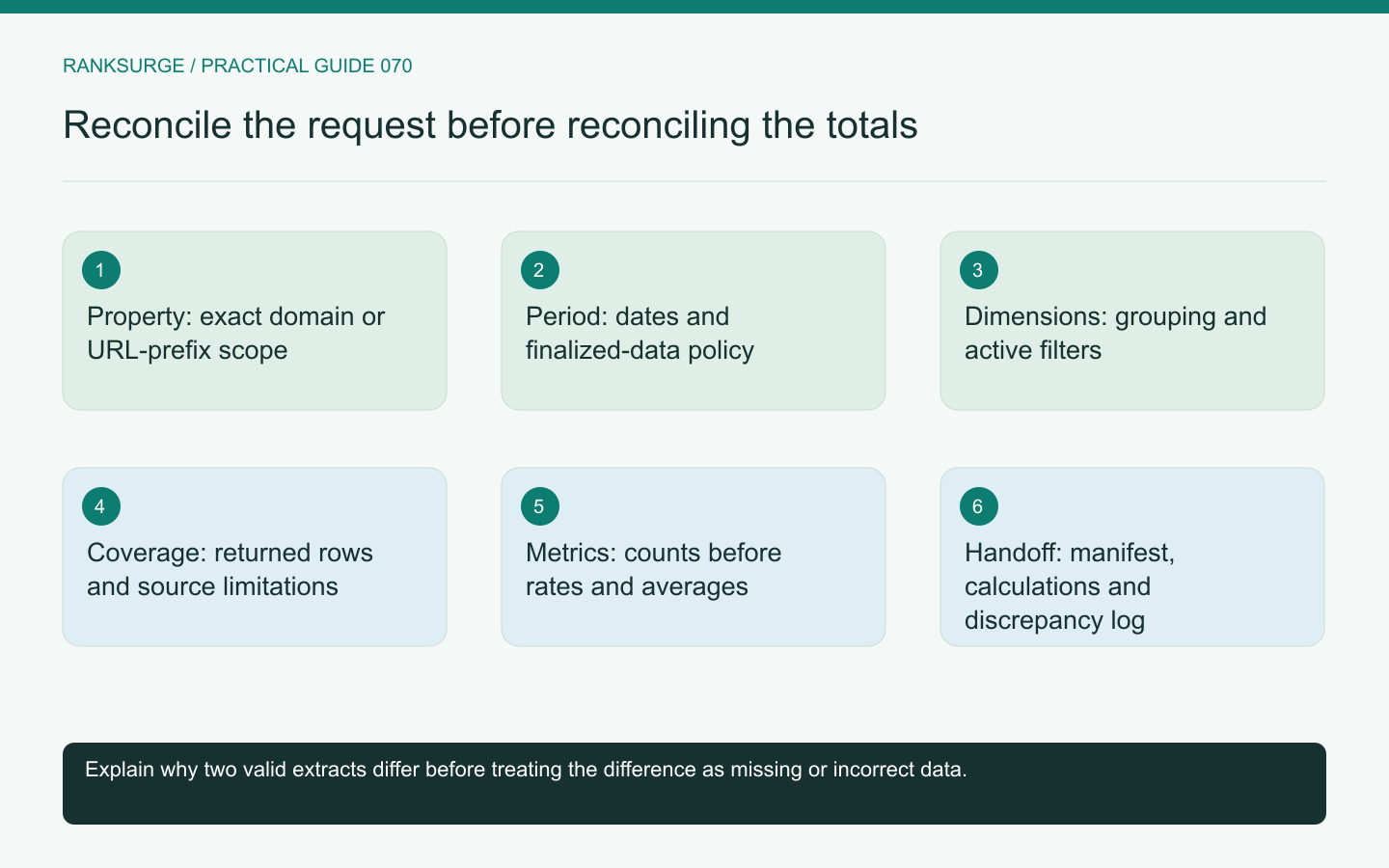
Reconcile Search Console exports by preserving request scope, dimensions and coverage, then explain differences instead of forcing row sums to match a dashboard.
TL;DR
- Main decision: treat each Search Console export as a scoped measurement and reconcile differing files by comparing property, period, dimensions and filters rather than blaming a tool.
- Useful method: attach a small manifest and deliver a reproducible report package that records request details, filters, grouping, row constraints and the final calculations.
- Limit and success check: preserve and report row-coverage limits, keep a discrepancy log, and reconcile raw counts before trusting derived metrics or treating extracts as complete.
Treat an export as a scoped measurement
A Search Console export is not simply “the site's data.” It is a result produced for a property, period, search type, dimensions and filters. When two files disagree, begin by comparing those choices rather than assuming that one tool is broken.
Create a small manifest beside each export. Include the request date, source interface or API, selected property, start and end dates, filters, grouping and any known row constraints. This context is essential when a report is reviewed weeks later by someone who did not perform the export.
Confirm the property before comparing totals
A domain property and a URL-prefix property can represent different coverage. Similarly, a report scoped to a subdirectory should not be compared directly with a site-wide total without accounting for the difference.
For an illustrative software site, one file might cover the full domain while another covers only the documentation host. Both can be valid and still produce very different counts.
Write the exact property identifier in the manifest. A friendly label such as “main website” is convenient for presentation but too ambiguous for reconciliation.
Align dates and data state
Check the inclusive period and the source's date conventions. Also determine whether both extracts use finalized data or include more recent data that may still change.
The Search Analytics API reference documents date parameters and data-state options. Record the actual request instead of assuming that a dashboard's “last month” preset matches a script's date calculation.
For a month-end report, choose a consistent policy and explain it. A small timing mismatch can become a recurring discrepancy if the extraction process is not explicit about when the period closes.
Compare dimensions and filters next
A total grouped by page is not the same report as one grouped by page and query. Additional dimensions change the row structure and can affect what is available for analysis.
Check country, device, query, page and search-appearance filters, including exclusions. A forgotten filter is often more consequential than a rounding difference. Preserve the actual expressions so another analyst can reproduce them.
For the software example, a non-branded query export should not be expected to equal the unfiltered property's clicks. The difference is part of the definition, not necessarily missing data.
Preserve coverage limits instead of concealing them
The Search Analytics API states that it does not guarantee every data row and returns top rows within its limitations. Pagination parameters are useful, but they should not be described as a guarantee of complete query-level coverage.
Label an extract according to what it is: a scoped set of returned rows. Do not silently replace unavailable records with zeros or assume that the sum of visible query rows must reproduce every higher-level total.
If a decision requires a different data export approach, investigate that requirement explicitly. Avoid claiming completeness merely because the script stopped receiving additional rows.
Reconcile counts before derived metrics
Compare clicks and impressions within equivalent scope before diagnosing percentage differences. Then verify how CTR and average position were calculated in the report.
For an illustrative pair of rows, 1 click from 10 impressions and 90 clicks from 1,000 impressions should not receive equal weight when computing a combined click-through rate. The combined rate follows the combined counts, not the simple mean of the two percentages.
Keep numeric types and units consistent as well. A fraction and a displayed percentage can represent the same rate while looking different in a spreadsheet. Do not “correct” a value until the representation is understood.
Maintain a discrepancy log
Record each mismatch, the scope comparison, the explanation found and any remaining uncertainty. Useful labels include different property, different filters, different data state, row-coverage limitation or unresolved aggregation behavior.
This log prevents repeated investigations and makes the final report more credible. It also distinguishes an expected difference from a genuine extraction bug that requires a code correction.
If the cause remains unresolved, report the limitation and avoid using the conflicting totals to support a strong conclusion. A transparent incomplete reconciliation is better than an invented adjustment that makes the numbers look tidy.
Hand over a reproducible report package
Deliver the export, manifest, calculation method and discrepancy notes together. Include the final reporting question so a reviewer can judge whether the data is suitable for the intended decision.
For the software site, the package might support a comparison of documentation pages over a fixed finalized period. It should not be presented as a complete account of every search query across the whole business.
RankSurge research and reporting workflows are most useful when the evidence remains explainable. A reconciled export is one whose scope and limitations are understood, not necessarily one whose every subtotal has been forced to match a different dashboard view.
Related reading: The Dark Query Problem: Why Search Console Hides Most of Your Searches.
Related reading: Ranking for the Wrong Half of Your Audience.