
Orphan Page Investigations: Compare Crawl Discovery With Sitemaps and Internal Links
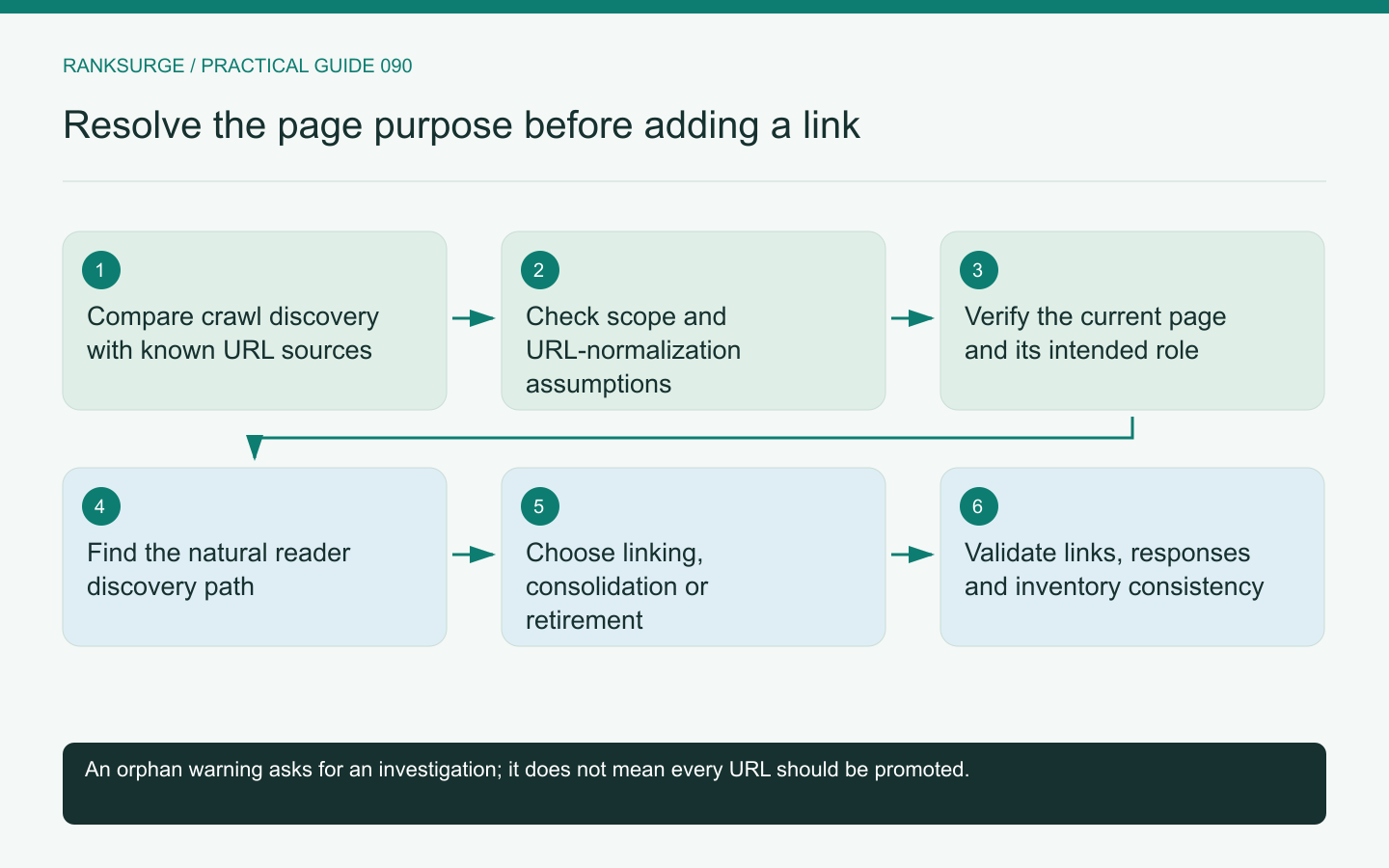
Investigate orphan pages by comparing discovered links with sitemaps and other known URL sources, then decide whether each page should be linked, consolidated or retired.
TL;DR
- Main decision: treat an orphan finding as a crawl-dependent lead, not definitive proof; decide whether to link, consolidate, or retire each candidate based on investigation and ownership.
- Useful method: build a known-URL set from independent sources (CMS, sitemap, analytics), compare it with crawl-discovered links, and preserve source provenance during analysis.
- Limit and success check: confirm intent before acting, then validate outcomes by rerunning discovery and keeping unresolved candidates visible until owner confirmation or further rendering checks.
An orphan finding depends on the crawl
An orphan-page report usually identifies a URL known from another source but not discovered through the internal links inspected by a crawl. That is a useful lead, not automatic proof that no internal link exists anywhere.
The result depends on the crawl's starting points, scope, rendering and exclusions. Review those settings before deciding that the website has abandoned the page.
A documentation section on another host, for example, may be outside the audit's allowed scope. Calling every page in that section orphaned would confuse a measurement boundary with an information-architecture problem.
Compare independent URL sources
Build a known-URL set from appropriate sources such as the CMS, sitemap, analytics or search data. Compare that set with URLs discovered through crawlable internal links.
Screaming Frog's orphan-page workflow illustrates this comparison across discovery sources. The important analytical principle is to preserve where each candidate URL came from.
A page present in a sitemap but absent from the link crawl raises a different question from an old URL appearing only in historical analytics. The first may be intended current content; the second may be a retired route still receiving occasional visits.
Normalize carefully before comparing
URL variants can create false mismatches. Differences in protocol, host, trailing slash, case or parameters may represent redirects, alternate addresses or genuinely distinct resources.
Inspect the site's actual behavior before applying a blanket normalization rule. Lowercasing every path, for example, is unsafe as a universal assumption because some systems treat path case meaningfully.
Keep the original URL alongside any normalized comparison key. That makes it possible to investigate a mismatch without losing the evidence of which address was actually observed in the source data.
Verify whether the page is still intended to exist
Open representative candidates and identify their current purpose. A live campaign landing page, an obsolete product, a private utility route and an old article need different decisions.
For an illustrative software site, an unlinked integration guide may still answer a useful customer question and deserve a place in the documentation structure. A test page accidentally left public should not be linked merely to eliminate an orphan warning.
Ask the content or product owner to confirm intent when the page's role is unclear. The audit should not revive obsolete content simply because it found an accessible URL.
Inspect the missing discovery path
If a page should be discoverable, identify where a reader would naturally expect to find it. A relevant category, documentation hub or related article may provide a better route than an indiscriminate footer link.
Google's link guidance describes crawlable links and meaningful anchor text. Use that technical reference while designing a useful navigation path for the reader.
Check whether an apparent link is actually a script-only interaction or whether a menu is unavailable in the crawl context. The repair may involve implementation rather than adding more links to the same hidden mechanism.
Choose among linking, consolidation and retirement
A useful distinct page can be linked from an appropriate context. A redundant page may need a consolidation decision with a suitable destination. A page that no longer serves a purpose may need retirement under the site's content policy.
Do not redirect every obsolete URL to the homepage without considering relevance. A convenient blanket rule can create a confusing destination for users who expected a specific resource.
Document the reason for each decision and the owner approving it. Orphan-page cleanup is partly a content-governance task, not just a crawl configuration exercise.
Validate the chosen outcome
For a retained page, rerun discovery from the relevant entry point and confirm that the new link is present and reaches the intended destination. For a consolidated or retired page, check the response and update affected references.
Also review the sitemap and CMS inventory so they reflect the chosen state. Leaving contradictory sources can cause the same candidate to reappear in the next audit without explaining that a decision was already made.
Check how the orphan was created
After resolving a group, look for the publishing or navigation process that produced it. A CMS may allow publication without a category, or a redesign may remove an entire hub. Correcting that process can prevent the same pattern from returning. Keep the prevention task distinct from the individual URL cleanup so both outcomes can be verified.
Keep unresolved candidates visible
Some pages will need owner confirmation or additional rendering checks. Keep them in a separate unresolved group instead of forcing every URL into a completed status.
RankSurge can support the audit evidence, while a broader crawl or inventory comparison may be needed for complete discovery analysis. The final deliverable should explain which pages matter, how users should reach them and what happened to the URLs that no longer belong in the site.
Related reading: SEO for Startups: A Founder’s Handbook.
Related reading: The Best Open Source SEO Tools in 2026.