
Image SEO Audits: Check Meaning and Discovery Before Renaming Files
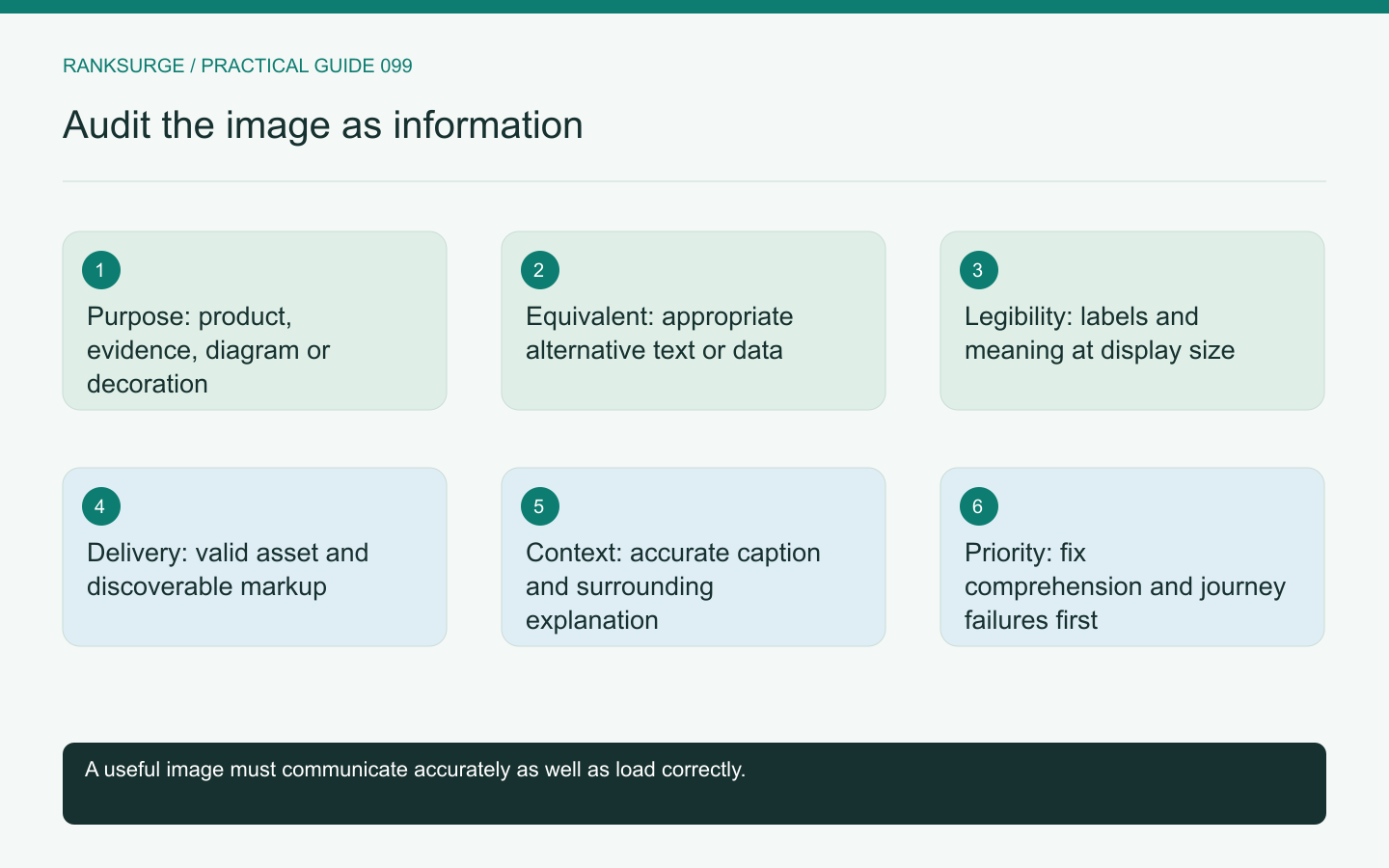
Audit images by their purpose, alternative text, discoverability and actual rendered quality, rather than treating filename changes as the main SEO improvement.
TL;DR
- Decide whether each image helps readers before renaming files: start by identifying the image’s role and treat discovery issues as separate technical problems rather than assuming filename changes fix them.
- Use context-driven grouping and alt-text choices as the audit method: group images by purpose, choose alternative text reflecting function, and verify visuals remain understandable at actual display sizes.
- Check success by validating meaning plus implementation: prioritize consequential failures, then confirm the rendered page, image response and alt behavior so the page becomes clearer, not just keyword-optimized.
Start with what the image contributes
An image audit should identify the role each image plays on the page. A product photo, explanatory chart, interface screenshot and decorative background need different treatment.
The first question is whether the image helps the reader understand or complete the page's task. A technically optimized image can still be irrelevant, misleading or too small to read.
Group images by purpose and page family before reviewing filenames or metadata. This makes the recommendations more useful than applying the same checklist to every asset regardless of its meaning.
Choose alternative text from the context
Alternative text should reflect the image's function in its specific context. An informative diagram needs an appropriate equivalent description; a purely decorative image may need different handling.
The W3C's alternative-text decision tree is a useful reference for making that choice. Avoid treating alt text as a place to repeat a target keyword regardless of the image.
For an illustrative product comparison chart, describe the information the chart communicates rather than merely saying “best software comparison image.” If the chart contains detailed data, the page may also need an accessible text or table representation.
Verify that the visual remains understandable
Open the image at the size readers actually encounter. A screenshot with tiny labels may look sharp in the asset library but become useless inside a narrow article column.
Check important annotations, color contrast and whether meaning depends only on color. A chart's legend should remain understandable when the image is reduced or viewed under different display conditions.
If the image is meant to show the product, confirm that it reflects the current interface and does not imply a feature or result that the product does not have. Visual accuracy is part of factual accuracy.
Inspect discovery and delivery separately
An image can be visible to a browser while its delivery or markup makes discovery more complicated. Inspect the actual image URL, markup and response behavior relevant to the page.
Google's image guidance provides the primary search reference. Use it to review the technical implementation alongside the surrounding descriptive context.
Do not assume that renaming the file resolves a missing or blocked asset. Confirm that the image loads reliably and that the page identifies it through the intended implementation.
Check variants and responsive behavior
A responsive page may serve different image sizes. Inspect whether the selected variant remains sharp enough for the displayed dimensions without needlessly delivering a much larger asset.
For a detailed workflow diagram, aggressive resizing can make the text unreadable even when the file is technically valid. A simpler diagram or a separate enlarged view may be more useful than exporting the same crowded graphic at another compression setting.
Test representative mobile and desktop layouts. The audit should describe the actual usability problem rather than equating the smallest possible file with the best outcome.
Keep captions and surrounding explanations useful
A caption can explain what the reader should notice, while the body text develops the meaning. Avoid repeating the same generic sentence in the filename, alt text, caption and paragraph.
For a before-and-after interface example, identify what changed and why the example matters. If the image is an illustrative mockup rather than a live product screenshot, label that distinction.
Do not use a decorative stock image as evidence of a customer result. An attractive visual can support presentation, but it should not imply firsthand testing, endorsement or performance evidence that does not exist.
Prioritize image findings by consequence
A missing product image on a buying page, an unreadable technical diagram and a mildly untidy filename are different problems. Address the failures that prevent understanding or interrupt the journey first.
Group repeated issues by the component or publishing process that creates them. If every uploaded diagram is forced into an unsuitable crop, fix the rendering rule rather than manually redesigning each asset around a broken layout.
Record the intended display and a representative example in the task so designers and developers can validate the same outcome.
Retain asset provenance where it matters
For screenshots, record the product version or capture context in the editorial workflow. For diagrams, retain the editable source. Those small records make later corrections practical when the interface or explanation changes, and reduce the chance that an outdated visual survives simply because nobody can reconstruct how it was created.
Validate meaning and implementation together
After changes, review the rendered page, the image response and the alternative-text behavior appropriate to the asset. Check that the visual still matches the article's claims and that captions remain accurate.
RankSurge can support the technical audit record, but a useful image review also needs editorial and accessibility judgment. The final result should make the page easier to understand and the asset reliably available, rather than treating keyword-filled filenames as a substitute for a meaningful visual.
Related reading: The Best Open Source SEO Tools in 2026.
Related reading: SEO for Startups: A Founder’s Handbook - RankSurge Blog.